 CycleStudy Pro
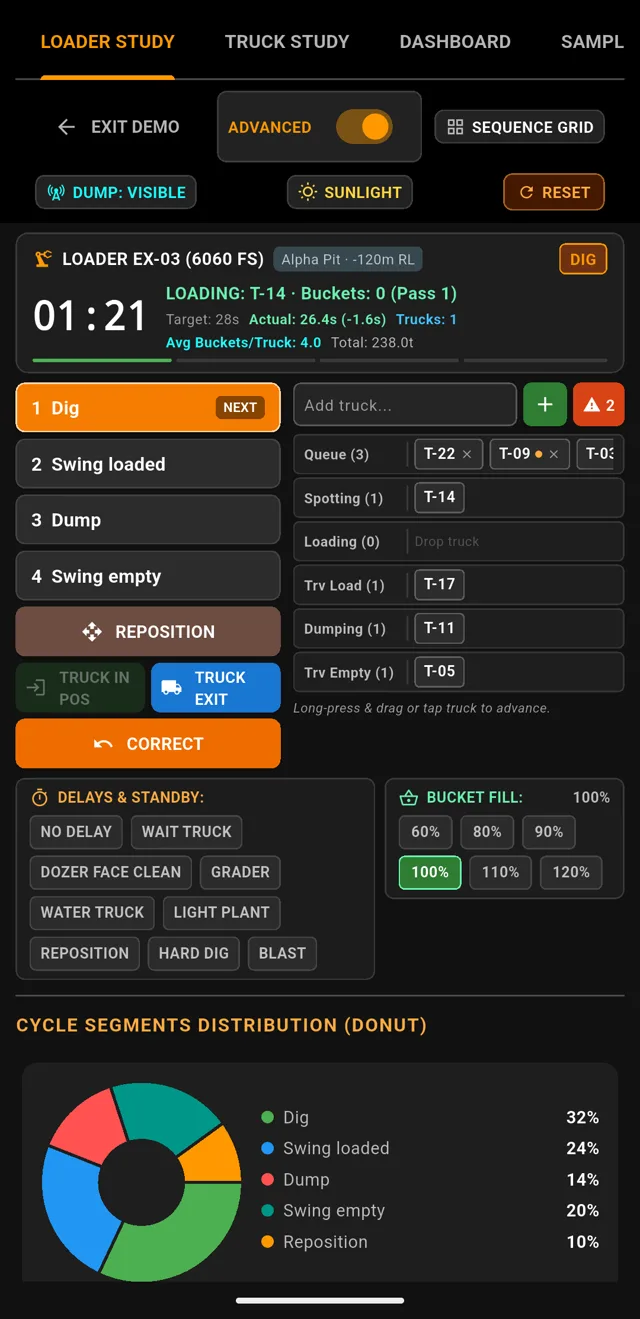
Loader cycle
Dig, swing loaded, dump, swing empty. One tap per phase, with delays and bucket fill.
Time shovel passes and truck cycles on a phone, with no signal. The app calculates cycle times, Match Factor, the loss Pareto and the shift report.
One e-mail when the Android app is out. No ads. Privacy.
The two main cycles
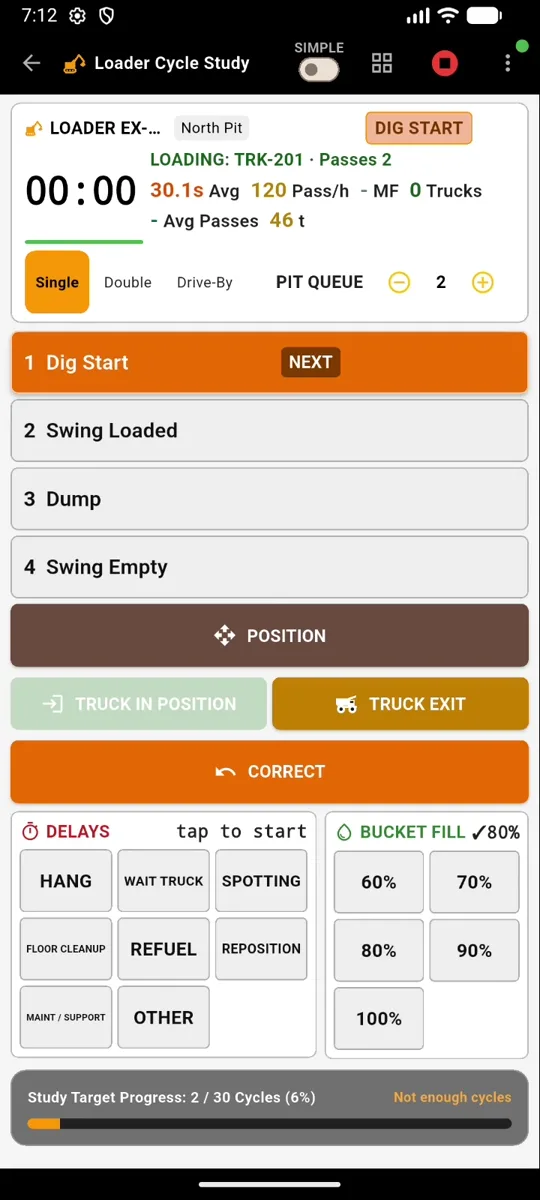
The shovel digs, swings, dumps and swings back. One tap per phase.
Tap when the bucket bites the face. The cycle starts at the dig.
Full bucket, turning to the truck.
The bucket opens over the truck body.
Back to the face. The pass counter goes up.
The truck arrives, spots, loads and leaves. One tap per step.
The truck starts reversing into the loading pocket.
Stopped and ready for the first bucket.
The shovel is over the truck. Both must be in position before a bucket counts.
One tap for every bucket dumped into the truck.
The last bucket. Loading is over.
The truck leaves. Exchange time is captured.
What you get
Dig, swing loaded, dump, swing empty. One tap per phase, with delays and bucket fill.
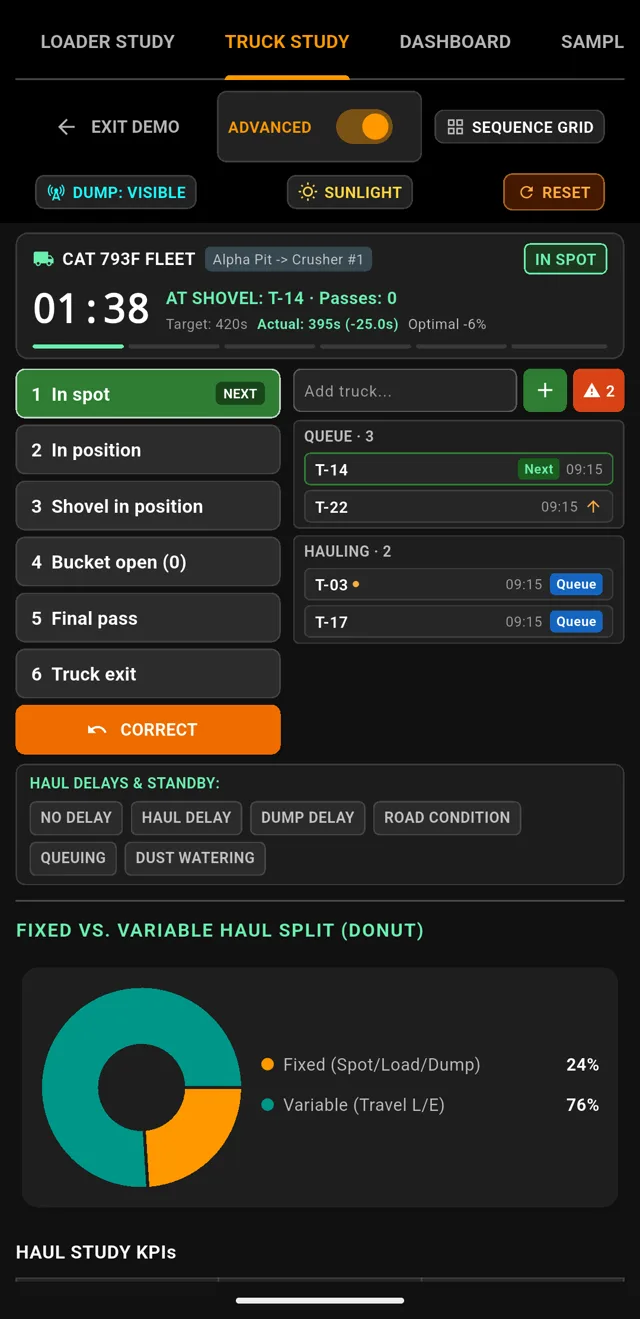
Queue, spot, position, loading passes and exit. Truck times you can trust.
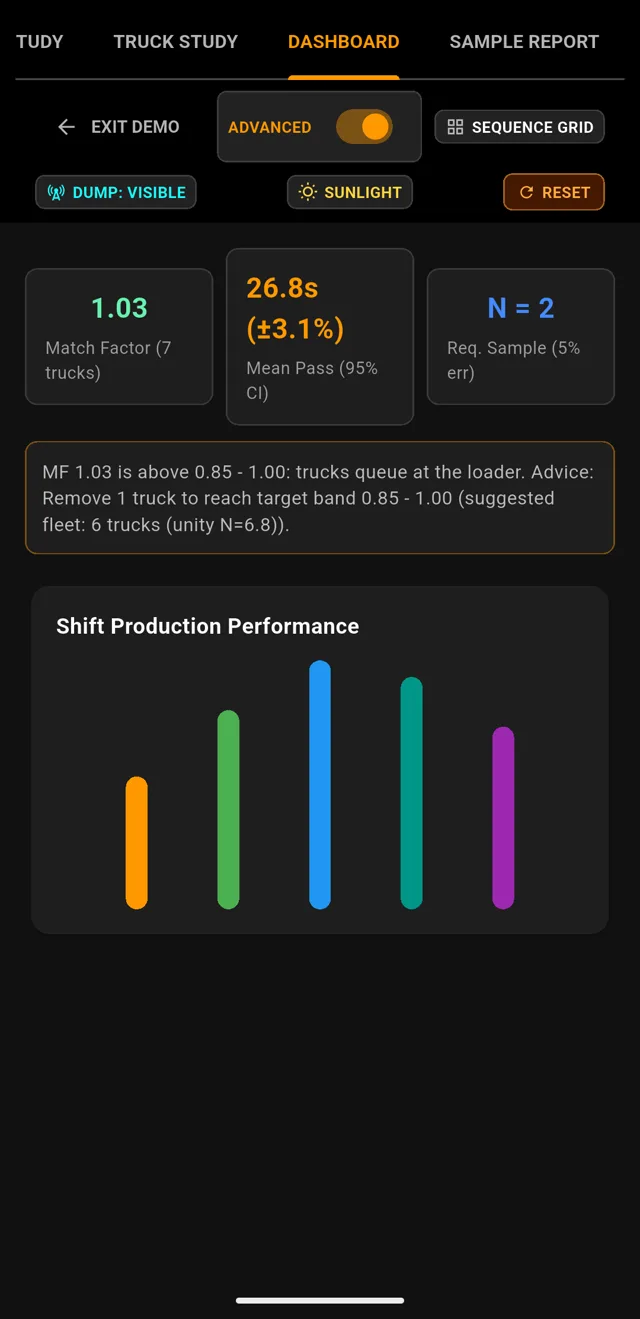
See whether the fleet is too big or too small, with a suggested size.
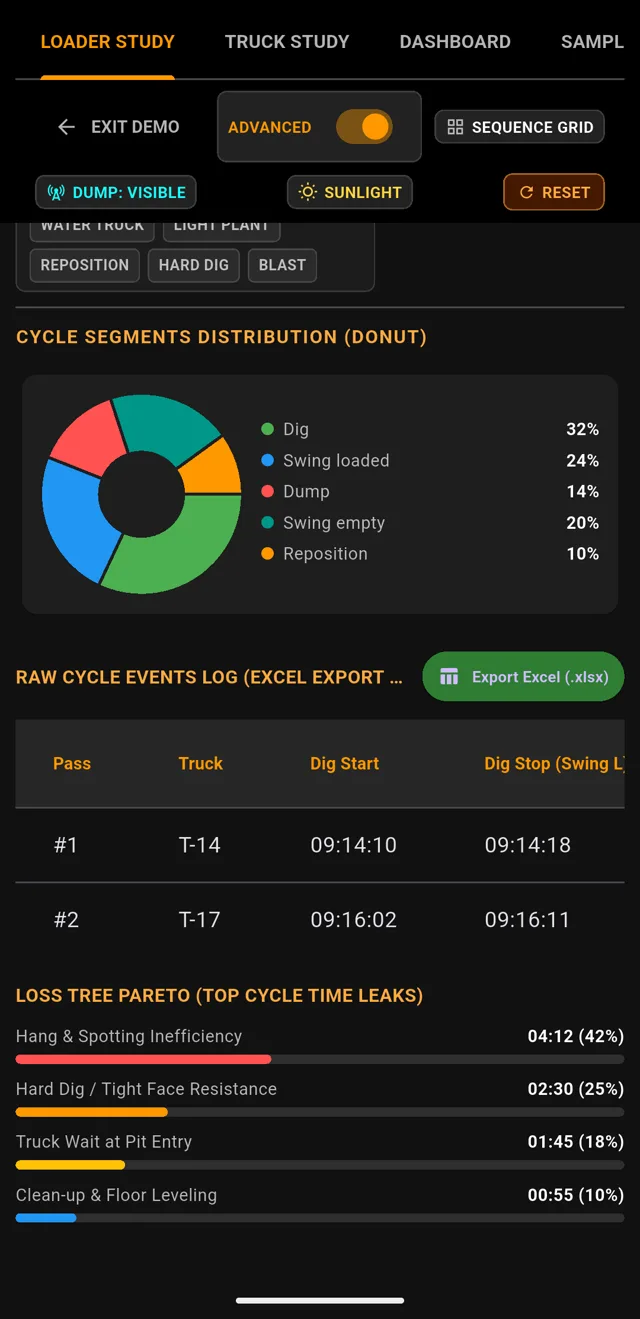
The few causes that take the most time, ranked.
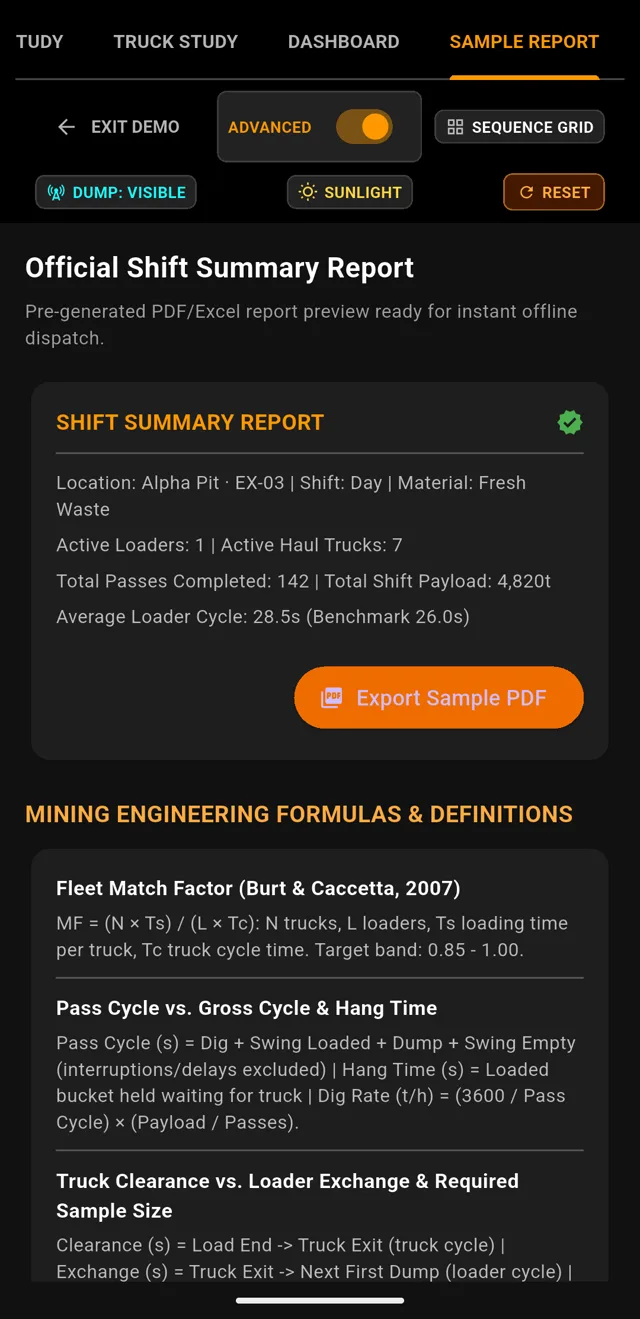
A clean report for the supervisor at the end of the shift.
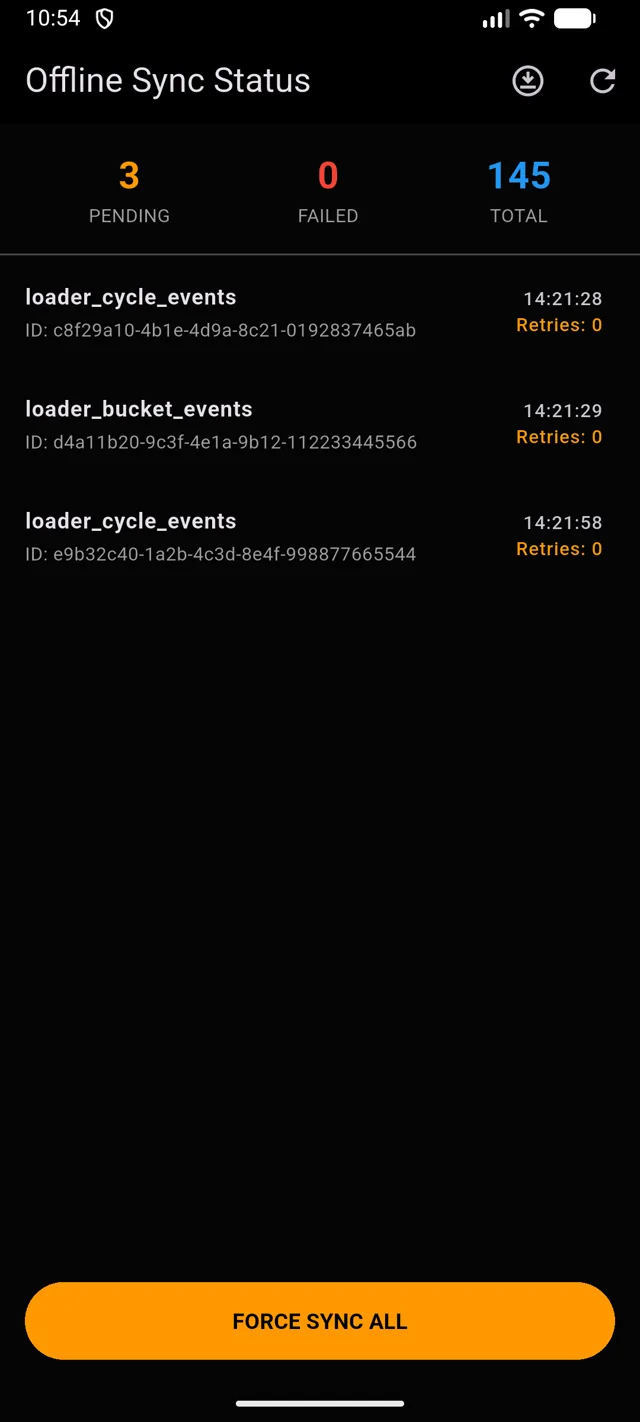
Record in the pit with no network. Everything syncs when you are back in range.
The real app, with the clock
Every film is a real recording of the app, with the step timeline and a voice narrating it. The panel next to the film explains each step, in English or French.
Dig, swing loaded, dump, swing empty, one tap each.
The same four taps on a tablet: recording on the left, delays, bucket fill and summary on the right.
One big button for the whole cycle: switch on 1-Tap mode and the four phase buttons become one NEXT button.
Queue, spot, position, loading passes, exit and haul.
The same six steps on a tablet: recording on the left, delays, summary and chart on the right.
One big button for the whole cycle: switch on 1-Tap mode and the six steps become one NEXT button.
Pits, materials, loaders and trucks, before the first study.
Recorded on the real study page. No illustration. Voice in English and French.
The method
No spreadsheet to build after the shift. Every measure below is worked out as the data comes in.
| Measure | What it tells you | Where |
|---|---|---|
| Mean cycle time | The typical length of a pass or cycle, phase by phase. | Loader, truck |
| Confidence interval | Whether the measured mean can be trusted or could still move. | Dashboard |
| Required sample | How many more cycles to time before you can conclude. | Study |
| Hang time, exchange, fill | The small losses hiding inside a loader pass. | Loader |
| Queue time | How long trucks wait for the loader. | Truck |
| Match Factor | Whether the fleet is too big or too small, with a suggested size. | Fleet |
| Delay Pareto | The few causes that take the most time. | Delays |
Built for the field
Dust, sun, gloves, no signal. The app is designed for those conditions first.
No connection required. Data syncs when you are back online.
Encrypted local database, with role-based access inside your organisation.
High contrast so the screen stays readable in direct sun.
Big buttons, or the volume keys to record without looking at the screen.
French, English, Spanish, Portuguese, Arabic, Russian and Chinese.
Bring in your existing studies instead of starting from zero.
Pass a running study's setup to the next crew by scanning a code.
Read the number painted on the truck instead of typing it.
The app locks after inactivity and reopens with a PIN or fingerprint.
Resources
Free calculators
Questions
No. All recording works offline. Data syncs automatically as soon as a connection is available.
The local database is encrypted (SQLCipher) and access is limited by role inside your organisation. See the privacy policy.
Hydraulic shovels, loaders and haul trucks. You define your own equipment, pits and materials.
Yes. An import wizard accepts CSV and Excel files for loader and truck studies.
Android comes first. A web version and other platforms follow. Details on the download page.
14-day free trial, no payment needed. Prices include taxes.